Integrations
Everything under Postalion → Integrations: what your sending service reports back, how other apps talk to Postalion, and how to keep part of a post for subscribers. It needs Postalion Pro 1.2 and an active licence.
Bounces and spam complaints
When an address no longer exists (a hard bounce) or a reader marks your email as spam, your sending service knows. If it tells Postalion, the address is unsubscribed at once, the reason appears under Why people left on the dashboard, and you stop writing to people who cannot or do not want to read you. That is what keeps a sender reputation clean.
Integrations shows one private address per service. It contains a secret; keep it to yourself, and press Make a new secret if it ever leaks (then update it at the service).
- Amazon SES: in Amazon SNS, create a topic, add an HTTPS subscription with the SES address from Integrations, then in SES set that topic for Bounce and Complaint notifications of your identity. Postalion confirms the subscription by itself.
- SendGrid: Settings → Mail Settings → Event Webhook; paste the SendGrid address and tick Bounced, Dropped and Spam Reports.
- Mailgun: Sending → Webhooks; add the Mailgun address for Permanent Failure and Spam Complaints (Temporary Failure is optional).
- Postmark: your server → Webhooks → Add webhook; paste the Postmark address and tick Bounce and Spam Complaint.
- Brevo: Transactional → Settings → Webhook; paste the Brevo address and tick Hard bounce, Invalid email, Blocked and Complaint.
Soft bounces (a full mailbox, a server busy for a while) are recorded and counted but change nothing: the service tries again on its own.
REST API
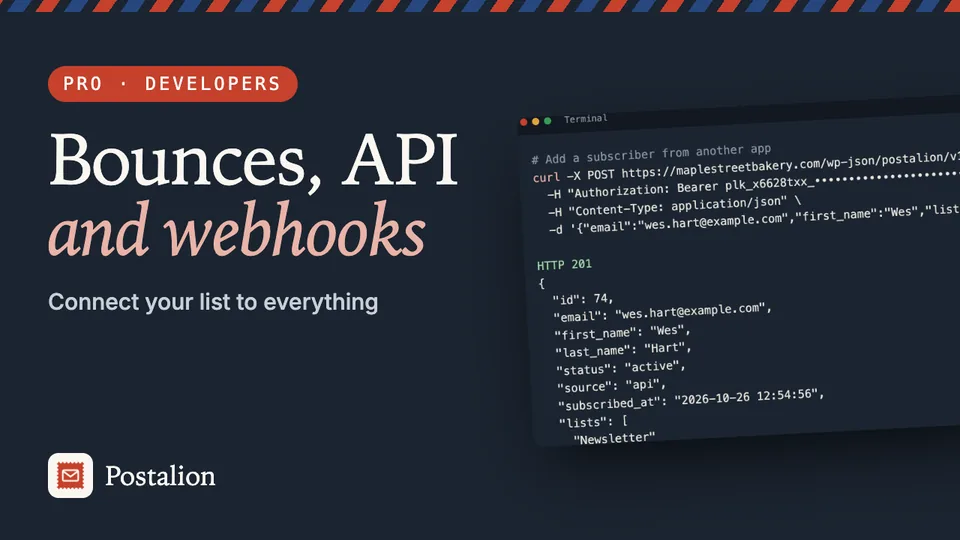
Other apps can add and manage subscribers through /wp-json/postalion/v1/. Make a key under REST API → Create a key; it is shown once, so copy it then. Send it with every request:
Authorization: Bearer plk_xxxxxxxx_yyyyyyyyyyyyyyyyyyyyyyyyyyyyyyyy| Request | What it does |
|---|---|
GET /subscribers | A page of subscribers. Filters: status, list, tag, search, page, per_page (up to 100). The total is in the X-WP-Total header. |
POST /subscribers | Add someone: email, first_name, last_name, lists, tags (names or IDs; new names become tags), fields. With double_optin=true they get the confirmation email, as from a form; otherwise they are active at once. |
GET /subscribers/<id or email> | One subscriber, with lists, tags and fields. |
POST /subscribers/<id or email> | Change first_name, last_name, fields; add_tags, remove_tags, add_lists, remove_lists; status active or unsubscribed. |
DELETE /subscribers/<id or email> | Remove the person and their history. |
GET /lists, GET /tags | Names, IDs and how many people each has. |
For example, adding a subscriber from the command line:
curl -X POST https://example.com/wp-json/postalion/v1/subscribers \
  -H "Authorization: Bearer plk_…" \
  -d email=reader@example.com -d first_name=Ana -d "tags[]=Webinar"
An administrator logged in to the site can call the API from the browser without a key (with the usual WordPress REST nonce). Without a Pro licence the API answers 403.
Webhooks
A webhook tells another app the moment something happens. Add the receiver's address (Zapier's "Catch Hook", Make's "Custom webhook", n8n's "Webhook" node, or your own) and pick the events:
subscriber.added: someone joined (after confirming, with double opt-in);subscriber.unsubscribed: someone left, with the reason when there is one (needs Postalion 1.10);subscriber.tagged: someone got a tag;order.recorded: a subscriber placed a WooCommerce order;newsletter.sent: a newsletter finished sending (needs Postalion 1.10);subscriber.bounced: a bounce or complaint unsubscribed an address.
Each call is a JSON POST:
{
  "event": "subscriber.added",
  "site": "https://example.com/",
  "time": "2026-10-26T09:14:03+00:00",
  "data": { "id": 812, "email": "reader@example.com", "first_name": "Ana",
            "lists": ["Newsletter"], "tags": ["Webinar"], "fields": {} }
}
It carries X-Postalion-Signature: sha256=…, the HMAC-SHA256 of the body with the webhook's secret (shown under its address), so the receiver can check it came from your site. Calls wait in a queue and go out within a few minutes, through WP-Cron, so nobody signing up waits for them; a failed call is tried again up to five times, further apart each time. A receiver that fails 20 times in a row is paused; Turn on starts it again. Send a test sends a sample at once.
Automations can also call a webhook as one of their steps; those calls are signed with the secret shown under Webhooks in Integrations.
Content for subscribers only
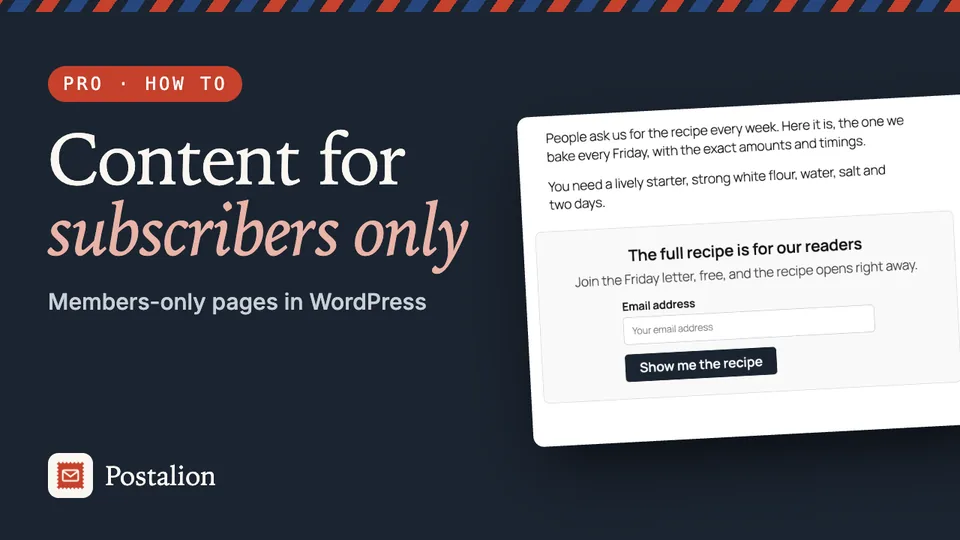
Keep part of a post for your readers: the rest of a guide, a download link, a recipe. Put a Shortcode block around it:
[postalion_locked title="The rest is for subscribers" list="1"]
…what only subscribers see…
[/postalion_locked]
Visitors see the title, a line of text and a sign-up form in its place. After signing up there (or through any Postalion form in that browser), the page reloads with the content open, for a year. Pages with a lock tell caching plugins not to keep a shared copy, so each reader sees their own version. It also opens for subscribers who are logged in, and for readers who arrive from a link in your newsletter. Editors always see everything. Feeds and search engines never get the hidden part.
Options: title, text, button, list (the list people join) and tags. Without a Pro licence nothing is hidden, so readers are never locked out by a lapsed licence.
Back to the documentation